
“We got a landline.” … “What’s a landline?”
Las Vegas households can choose from several types of home phone service. The main options are wired service from a local communications company, internet-based phone service and cellular home phone service.
The right choice depends on what is available at your address, whether you already have broadband internet and whether the line must support an alarm, medical alert device or dependable calling during a power outage.
Where to start
- Check service by address. Wired availability and the underlying technology can differ from one Las Vegas Valley neighborhood to another.
- Identify anything connected to the existing line. This may include an alarm panel, medical alert device, fax machine, gate, intercom or telephone-entry system.
- Ask the device or monitoring company what it supports. Do this before disconnecting the existing line. A service that handles ordinary voice calls may not support every legacy device.
- Plan for outages. A backup battery for the phone adapter does not power cordless handsets or all other equipment in the home.
Home phone providers serving Las Vegas
CenturyLink Home Phone
CenturyLink markets residential home phone service in Las Vegas and North Las Vegas. Available plans and the type of connection offered depend on the service address.
CenturyLink may be worth checking when a household wants service from the area’s established local telephone carrier. Do not assume that a new order will use a traditional copper line; verify the offered technology for the exact address.
Cox Voice
Cox offers residential home phone service in the Las Vegas area. It can be convenient for households that already use Cox internet or television service, although phone availability and pricing must be checked for the address.
Cox offers optional backup batteries for compatible telephone equipment. Cox states that an eight-hour battery can provide up to eight hours of standby service or four hours of talk time when a corded telephone that does not require household power is connected directly to the phone equipment.
Community Phone
Community Phone provides a cellular home phone alternative in Las Vegas. Its base connects a standard home telephone to a cellular network and does not require broadband internet.
The company states that its current base includes a battery providing up to 26 hours of backup operation. A corded telephone is still needed to make calls when household power is unavailable because an ordinary cordless-phone base requires electricity.
Cellular coverage must be available at the home. Compatibility with alarms, medical alert devices and other equipment must be established with the device or monitoring provider before switching.
Ooma Home Phone
Ooma provides internet-based home phone service through a purchased Ooma base station. Its Basic service has no regular service charge, but customers pay applicable monthly taxes and fees. Equipment and optional services cost extra.
A standard Ooma Telo connection depends on broadband internet and household power. Ooma also sells cellular and battery-backup configurations, but those should not be confused with its standard internet-based setup.
Voiply
Voiply offers residential internet-based phone service for households that already have broadband. Its published plans start at $8.95 per month, although equipment, taxes, fees and plan terms should be reviewed before ordering.
Some Voiply plans include calls to landlines in selected countries. The included destinations and rates should be checked for the countries the household calls most often.
How the service types compare
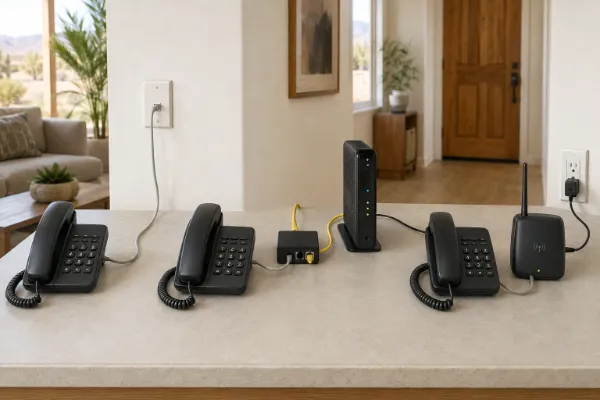
Traditional wired service
A true copper telephone line may receive power through the telephone network when used with a basic corded phone. However, copper service should not be assumed merely because a provider uses the word “landline.” Availability and technology must be confirmed for the address.
Internet-based phone service
VoIP services carry calls through an internet connection or other digital network. Standard internet-based configurations generally stop working when the modem, router, phone adapter or household power fails unless the required equipment has working backup power.
Cellular home phone service
A cellular home phone base connects a household telephone to a mobile network without requiring broadband. Service depends on cellular coverage, and outage performance depends on the base’s battery and continued operation of the cellular network.
Alarm systems and medical alert devices
Do not choose a phone service for an alarm or medical alert device based only on the provider’s advertising or the presence of a standard telephone jack.
Older equipment may use communication methods that are not supported by every digital or cellular phone adapter. Newer monitoring systems may communicate through cellular or internet connections without using the household’s voice line at all.
Before changing service, give the alarm or medical-device provider the exact name and model of the proposed phone equipment. Ask whether that configuration is supported and whether the device needs its own backup power or cellular connection.
Preparing for a power outage
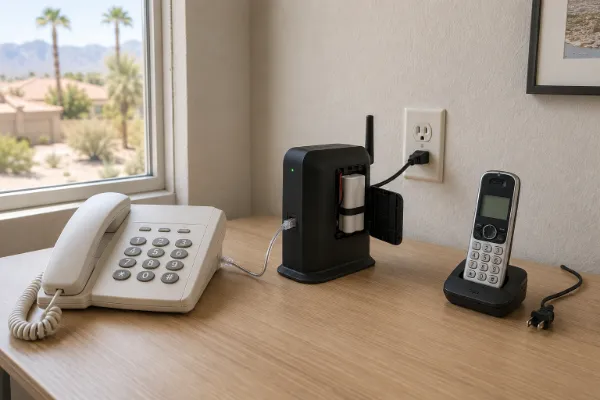
- Keep at least one corded phone that does not require a separate electrical outlet.
- Determine which phone, modem, router and adapter components require power.
- Check whether a backup battery is included, optional or unavailable.
- Follow the provider’s instructions for testing and replacing backup batteries.
- Remember that a home battery does not guarantee service if the provider’s network is also unavailable.
The FCC advises that some internet-based phone services do not work during power outages and that providers may not include backup power. Review the service’s 911 and backup-power information before relying on it as the household’s only telephone connection.
Read the FCC’s VoIP consumer information
Keeping an existing phone number
Most established home phone providers support transferring an eligible existing number, but a transfer is not guaranteed in every situation. Ask the new provider to check the number before placing the order.
Keep the old service active until the new provider confirms that the transfer is complete. Canceling the old line too soon can interrupt the transfer or cause the number to be lost.